
Hobby Color Converter for PC
Find color equivalences between Tamiya, Humbrol, Vallejo, Gunze, Citadel...Hobby Color Converter PC Details
| Category | Tools |
| Author | 27Pulgadas Androidesign |
| Version | 5.320 |
| Installations | 50000 |
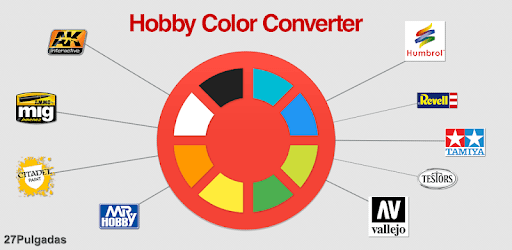
Hobby Color Converter: The Ultimate App for Scale Modelers
If you're a scale model enthusiast, then you know how important it is to have the right paint colors for your projects. That's where the Hobby Color Converter app comes in. This app is an absolute game-changer for anyone who builds scale models, offering a wide range of features that make the process easier and more enjoyable.
Convert Paint Options with Ease
One of the standout features of the Hobby Color Converter app is its ability to convert paint options. Whether you're looking to match a specific color or explore different options, this app has got you covered. Simply input the RGB code or browse through the extensive color library, and the app will provide you with a list of equivalent colors from various manufacturers.
Not only does this save you time and effort, but it also ensures that you always have the right paint colors for your projects. No more guesswork or wasted trips to the store - the Hobby Color Converter app has your back.
Handy Shopping List and Project Organization
Another invaluable feature of this app is the built-in shopping list. Whenever you come across a color that you need, simply add it to your list. This way, you'll never forget what paints you need for your next project. It's like having a personal assistant right at your fingertips.
Additionally, the app allows you to create various carts or subdirectories to keep track of your different projects. This level of organization ensures that you can easily maintain a record of your ongoing and completed models. No more confusion or mixing up colors - the Hobby Color Converter app keeps everything in order.
Constantly Improving and Listening to Feedback
The developers of the Hobby Color Converter app are dedicated to providing the best possible experience for scale modelers. They are continuously improving the app based on user feedback and suggestions. This means that you can expect regular updates and new features that cater to your needs.
Whether it's adding new paint brands or enhancing the equivalence calculations, the developers are committed to making this app the ultimate resource for scale modelers. They truly value their users and strive to create an app that exceeds expectations.
Frequently Asked Questions
Q: Can I find a match starting from an RGB code?
A: Absolutely! The Hobby Color Converter app allows you to find a match starting from an RGB code. Simply input the code, and the app will provide you with a list of equivalent colors.
Q: Can I sort colors by color hue?
A: Currently, the app does not have the option to sort colors by color hue. However, you can sort them by manufacturer code to easily find what you're looking for.
Q: Are discontinued Model Master paints available in the app?
A: Unfortunately, the discontinued Model Master paints are not currently included in the app. However, the developers are constantly expanding the paint library and may add them in the future.
Q: Is the app compatible with Absima Paintz brand?
A: At the moment, the app does not include the Absima Paintz brand. However, the developers are open to user suggestions and may consider adding it in future updates.
Overall, the Hobby Color Converter app is a must-have for any scale modeler. Its ability to convert paint options, handy shopping list, and project organization features make it an invaluable tool. With constant updates and a commitment to user satisfaction, this app is truly a game-changer in the world of scale modeling.
How to Install Hobby Color Converter on PC
Below instructions allows you to download and install Hobby Color Converter app on Windows or MAC computer using an Android emulator. The process involves:
Download APK:Downloading the Hobby Color Converter APK file by choosing a version.
Install Android Emulator:There are a number of Android emulators the internet. Choose a emulator that works better with your PC. Now, download and install the Android emulator software.
Run the Emulator:Open the emulator you have just installed and configure the settings such as display, keywords, mouse etc.
Install Gene:Open the downloaded Hobby Color Converter APK file using the emulator, which will install Hobby Color Converter on Windows or MAC.